
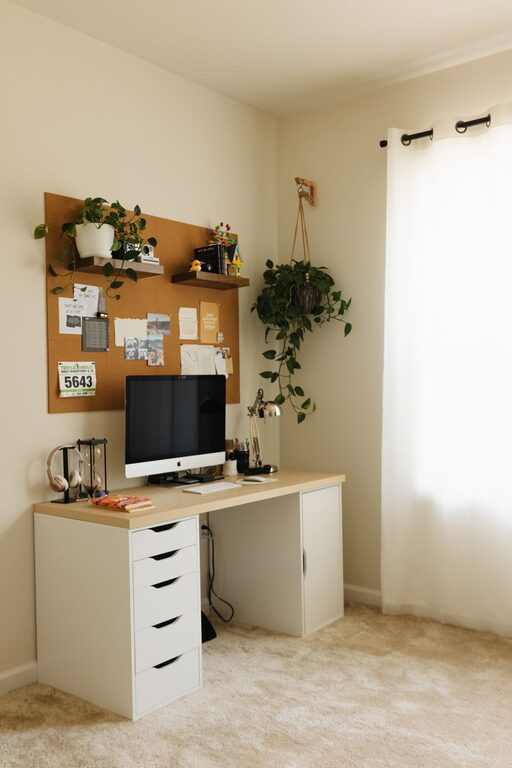
Creating a home office that balances comfort and productivity is essential for remote work or study. A well-designed space can boost focus, reduce stress, and make working from home a more enjoyable experience. Here are some helpful tips to transform your room into a cozy, efficient workspace.
Choose the Right Location
Finding the perfect spot for your home office is the first step. Look for a quiet, well-lit area where you can work uninterrupted.
– Natural light: Position your desk near a window to benefit from daylight. Natural light can improve mood and reduce eye strain.
– Minimize distractions: Avoid high-traffic zones or rooms with noise that can disturb concentration.
– Space considerations: Select a space large enough to accommodate your desk, chair, storage, and any other tools needed for your work.
Invest in Comfortable Furniture
Comfort is key when spending hours at a desk. Investing in ergonomic furniture keeps you comfortable and supports good posture.
– Ergonomic chair: Choose a chair with adjustable height, lumbar support, and a cushioned seat.
– Desk height: Your desk should allow your arms to rest at a 90-degree angle while typing.
– Footrest: If your feet don’t reach the floor comfortably, consider a footrest to prevent strain.
Organize Your Workspace
An organized workspace reduces distractions and increases efficiency. Keep your home office clutter-free with these ideas:
– Storage solutions: Use shelves, filing cabinets, or desk organizers to keep documents and supplies tidy.
– Cable management: Use clips or sleeves to keep cords neat and avoid tangling.
– Declutter regularly: Set aside time each week to clear out unnecessary items.
Personalize for Comfort and Motivation
Adding personal touches creates a space that’s welcoming and inspires productivity.
– Artwork and photos: Decorate with pictures or art that uplifts your mood.
– Plants: Adding greenery can improve air quality and create a calming atmosphere.
– Lighting: Combine natural light with adjustable desk lamps or soft overhead lighting to reduce eye strain.
Utilize Technology Thoughtfully
Technology is essential but can also create distractions. Use it wisely to support your work.
– Reliable internet: Make sure your internet connection is stable for video calls and research.
– Quality peripherals: Invest in a good keyboard, mouse, and headset for comfort and efficiency.
– Productivity apps: Use tools like calendars, task managers, and focus timers to stay organized.
Establish Boundaries
Working from home can blur the line between work and personal life. Create boundaries to maintain balance.
– Designated work hours: Set specific times for work and breaks.
– Separate spaces: Avoid working from your bed or couch to help your brain distinguish between work and relaxation.
– Communicate with household: Let family or roommates know your schedule to minimize interruptions.
Keep It Clean and Maintained
A clean space promotes mental clarity and comfort.
– Regular cleaning: Dust and wipe down surfaces often.
– Air circulation: Open windows or use a fan to keep the room fresh.
– Comfortable temperature: Adjust heating or cooling to maintain a comfortable environment.
—
Creating a cozy and productive home office takes a bit of planning but pays off in better focus and enjoyment during your workday. By selecting the right location, investing in comfortable furniture, organizing your space, and setting boundaries, you’ll build a workspace that supports your best work.